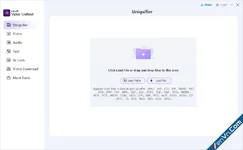
GiliSoft Video UniReel is built around one main job: helping users create varied versions from videos they own or are authorized to edit. Its core controls include frame extraction, frame interpolation, MD5 modification, random mirror, random filter, random effect, random background, random border, random speed, random transition, and optional segment deletion.
Use it when a video needs a refreshed output version without rebuilding the whole project manually. Cutting, joining, subtitles, watermarks, music, download, text, and audio tools are useful supporting functions, but the differentiating value is the parameter-based video variation engine shown in the screenshots.
Core Video Uniquifier Features:
Frame Extraction and Frame Interpolation
Use fixed frame parameters to extract or interpolate frames, helping the exported version differ from the original while keeping the video usable.
MD5 Modification for New Output Files
Modify the exported file signature so the final output is generated as a new file rather than a simple untouched copy.
Random Mirror, Filter, and Effect
Apply controlled random mirror, filter, and visual effect changes to create natural-looking variants from the same source material.
Random Border, Background, and Speed
Adjust border, background, speed, and transition options when a source video needs a visibly refreshed presentation.
Segment Deletion and Screen Adjustment
Use optional screen adjustment and segment deletion controls when specific portions or framing need to be changed during output preparation.
Common Editing Tools for Final Cleanup
After applying uniquifier parameters, use the regular video, text, audio, downloader, and export tools for cleanup and final delivery.
Download GiliSoft Video UniReel - Video Uniquifier and Repurposing Tool:
dl.xenvn.com
Password: xenvn.com