Total Excel Converter handles any kind of spreadsheet. Input formats include Excel and Excel 2007, XLSM, XLT, XLTM, plus OpenOffice ODS, XML, SQL, WK2, WKS, WAB, DBF, TEX, and DIF. The target list is even longer: DOC, DOCX, PDF, HTML, Access, TXT, ODT, ODS, XML, SQL, CSV, Lotus, DBF, TEX, DIFF, SYLK, and LaTeX. It converts in batch, fully offline.
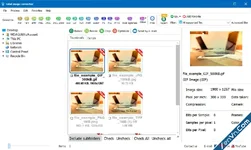
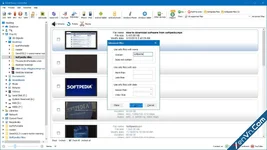
Quick answer: To convert a spreadsheet, install Total Excel Converter, browse to your XLS, XLSX, XLSM, or ODS files, check the ones you need, pick the output — PDF, DOC, HTML, CSV, XML, JPEG, and more — set any options in the wizard, then click Start. It converts the whole folder in one batch, keeps the original layout, and runs from the command line. Free 30-day trial.
Total Excel Converter preserves the original layout — you get an exact copy of the source file in a new format. It also includes a number of handy options:
- With Total Excel Converter, you can convert each sheet into a new file.
- Convert Excel to PDF and set user permissions. This will protect your PDF files from being modified or copied.
- Total Excel Converter can easily convert OpenOffice ODS files to Microsoft XLS documents; making it so that spread sheets produced by different programs are compatible with your viewer.
Download Coolutils Total Excel Converter - XLS, XLSX, ODS to PDF & 20+ Formats:
dl.xenvn.com
Password: xenvn.com