- Views: 1K
- Replies: 3
Your forum isn't mainly visited by people anymore.
AI companies harvest community content at scale to train their models. Commercial crawlers hammer boards for SEO data. And a new generation of scrapers has appeared - headless browsers with perfect user-agents, valid client hints and JavaScript execution, indistinguishable from a real Chrome visitor by any traditional check.
Counting visitors is no longer enough. You need to know who is really on your board, and be able to do something about it.
That's what this add-on has become. Advanced Traffic Statistics started life as a simple "who's online" widget; today it's a complete Traffic Intelligence & Web Application Firewall that tracks visits, categorises bot traffic with surgical precision, and actively protects your server from resource-draining scrapers, hackers and AI crawlers.
 The Live Radar, rebuilt
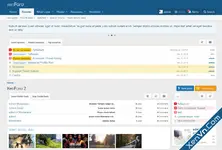
The table is gone. Each access is a card with a coloured edge that tells you its classification at a glance — dark red for blocked, orange for suspicious, teal for verified crawlers, green for humans — with a matching background tint. On a long list you read the composition of your traffic by scrolling, without stopping to decode badges.
The horizontal scrollbar is gone for good. It came from the fixed-width action column, which no longer exists: the ban and trust buttons sit outside the flow, hidden at rest and revealed when you hover a row. On touch devices and narrow screens they are always visible, below the row content.
 Auto-refresh
The radar can reload its rows on a timer without refreshing the page. New rows slide in at the top with a green highlight that fades, and the tab counters recalculate themselves while keeping whatever filter you had selected. It is off by default and costs nothing until you enable it. When on, the refresh is skipped while the browser tab is in the background and while your pointer is over the list, so it never shifts a row from under your cursor.
 Clusters show how they were already classified
Each unclassified cluster now carries a tag with the classification the add-on assigned it, plus the share of its addresses currently blocked. The overlap with the Datacenter panel becomes explicit instead of confusing: you can see at a glance which groups are already handled and concentrate on the ones that are not.
 WordPress Trap
Your board is probed daily for /wp-login.php, /wp-content/plugins/ and similar paths. On a domain without WordPress those requests have no legitimate explanation — unlike a heuristic score, this is a certainty, so it can justify blocking outright with practically no false-positive risk. Enable it only if WordPress is not installed on your domain, and those requests are rejected with a 403 and the address banned temporarily. Media paths are deliberately excluded, because domains that previously ran WordPress still receive genuine traffic to old image links.
Unclassified traffic clusterBots that match none of your lists are grouped by their exact browser signature over 7 days. When hundreds of separate addresses present an identical string, that is one operator running a distributed pool. Each cluster carries the evidence to judge it: share of addresses on datacenter networks, countries, hosting providers, sample addresses with AbuseIPDB lookups and sample requested paths. Signatures already covered by your lists are filtered out automatically.
 Shared resources
A panel listing attachments downloaded from outside your forum — links pasted into messaging apps, images embedded elsewhere, search-engine image results. Requests from your own pages are excluded, so what remains is genuine external bandwidth consumption.
 Contradictory browser signatures
Some scrapers announce two browsers at once — a user-agent declaring both Firefox and Chrome, or a Gecko build alongside AppleWebKit. No real browser can do this. These signatures now take a heavy trust penalty that hands them to the Junk Shield, with the reason shown in the radar.
Live Radar, rebuiltThe radar splits into tabs — All, Bots, Humans, Unclassified — switching instantly with no page reload. The horizontal scrollbar is gone: the timestamp moved under the address, redundant columns hide per tab, and on narrow screens the table becomes stacked cards.
 System tab
The configuration health check now has its own tab. It verifies nine dependencies against your live setup — missing databases, shields that cannot act, permissions that expose too much, a stalled cron — and every warning tells you what to do about it.
 Score reason codes
Every visitor starts at 100 trust points and loses some for each suspicious trait: missing user-agent (−90), suspicious URL (−80), incomplete browser signature (−60), outdated browser (−50), abnormal request rate (−50), missing Accept-Language (−40), datacenter IP (−30). The radar shows exactly which traits were detected and what each one cost. Penalties accumulate: a single one rarely matters, but a visitor falling to 20 or below is reclassified as a bot. This is why a datacenter IP alone still shows as human — plenty of legitimate users browse through VPNs and cloud networks.
 Shield Impact
For AI Shield, Junk Shield, Unknown Bots, Datacenter and WordPress Trap, a panel shows how much traffic matched each rule today. If a shield is active the number is what it blocked; if it is off — or you have no Pro licence — it is what it would have blocked.
 Intrusion Forensics
Every intrusion attempt is recorded and classified into six categories — vulnerability scan, credential attack, SQL injection, path traversal, XSS and code injection — with a 30-day activity chart, a breakdown by type, recent attempts with country and hosting provider, and a ranking of the paths being targeted most. That last one tells you whether you are caught in generic sweeps or whether someone is deliberately hunting for XenForo weaknesses. The detector is designed so that a discussion titled "how to write a SQL select" is never mistaken for an attack.
 A daily report that interprets, not just reports
Each morning you get a security report written from your own data, and its value is in the reasoning. It tells you which probes are harmless because that software isn't installed here, which are attackers hunting for backdoors on already compromised sites, and which are after credentials in exposed configuration files. It flags anything aimed specifically at XenForo and closes with a verdict in plain language. It writes in your board's language automatically and lets you declare other software on your domain so a real attack is never mistaken for noise.
Datacenter (ASN) DetectionModern scrapers run headless browsers with perfect user-agents, but they almost always run on datacenter IPs while real visitors come from residential or mobile networks. The add-on identifies traffic from 110 known hosting and VPN networks including AWS, Google Cloud, Azure, DigitalOcean, Hetzner, OVH, Scaleway, LeaseWeb, Alibaba Cloud, Tencent Cloud, DataCamp and M247. A configurable trust penalty flags them; an optional Pro hard-block stops them with a 403. Verified crawlers passing Forward-Confirmed reverse DNS are always exempt, and logged-in members are never affected.
 A dashboard with a live pulse
The Overview carries a server heartbeat: an ECG trace reading your actual traffic. Its colour shifts from green to red as the bot share rises, its speed follows your volume, and the small figures walking along it are drawn from real data — teal robots for crawlers, amber bugs for datacenter traffic, red spiders for intrusion attempts, destroyed at the shield. It adds no database queries at all.
 Analytics-style dashboard in tabs
Overview, Security, Traffic, Charts & History and System switch instantly. Colour-coded KPI cards for online users, visitors, bots, blocked threats and monthly totals, each with a trend indicator comparing like-for-like periods. The GeoIP section shows a ranked country list with proportional bars.
 Datacenter Intelligence panel (Pro)
KPI cards for flagged today, last 7 days and blocked today. A 30-day activity chart to spot the exact day a scraping campaign started. Provider identification on every IP. An identity column revealing the user-agent each bot was impersonating — when a dozen IPs all claim the same browser, you are looking at a distributed botnet. Top providers ranking and AbuseIPDB reputation lookup on every address.
 Full Cloudflare & Reverse Proxy Support
Forums behind Cloudflare see visitors' real IPs instead of the proxy's, so all statistics, geolocation and detection work correctly. The CF-Connecting-IP header is trusted only when the connection genuinely originates from a verified Cloudflare range, preventing header spoofing. If your server already restores real IPs, the add-on detects this and stays out of the way.
 Privacy controls
Blur IP addresses on screen — blurs the final part of each address with a frosted-glass effect, revealing it on hover. Protects screenshots and screen shares while lookups, bans and detection keep working.
IP retention control — choose how long IP records are kept, from 1 to 90 days. Retention affects only the IP log: your aggregated statistics live in a separate archive with no IP addresses, so you can keep IPs for a single day and still retain years of history.
 GeoIP powered by DB-IP
The country database uses the freely-redistributable DB-IP Lite database (Creative Commons licensed). Country detection works out of the box on every hosting environment, with no server configuration or PECL extension required.

Attachments
Last edited by a moderator:
 PRO Sparklines, Tech Charts & Pulse
 Unlock PRO PowerSupport development and unlock visual intelligence instantly! By purchasing a license key directly from the options page, you get:
 PRO Sparklines: A stunning, dynamic mini-chart in the sidebar showing the last 7 days of traffic trend.
 Device Bar: Visual indicator of Desktop vs. Mobile traffic percentage at a glance.
 FIXES & IMPROVEMENTS
 IMPORTANT NOTE FOR UPGRADING USERS Because XenForo safely preserves your custom option values during an upgrade, the new bot signatures will not automatically overwrite your existing lists. To take full advantage of the updated AI/Bot detection, please manually copy and paste the new lists below into your add-on options:
![[BS] Live forum statistics - Xenforo 2](https://xenvn.com/data/attachments/2/2028-db6cb7fe4cbe91dce4e00025ee548042.jpg?hash=22y3_ky-kd)
![[XenGenTr] Forum statistics system - Xenforo 2](https://xenvn.com/data/attachments/1/1931-c1da4ab67fa009997484c4b70f628a08.jpg?hash=wdpKtn-gCZ)
![[AddonFlare] (AJAX) Advanced Forum Stats](https://xenvn.com/data/attachments/0/314-9e67d48d9f1aa97c59a199ef9727e3c4.jpg)