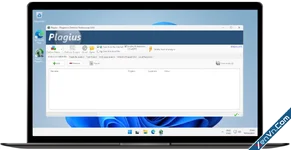
Plagius is plagiarism checker software that analyzes documents looking for suspected plagiarism by searching on the internet or in local files.
It is a tool to help in the hard task of finding plagiarism, allowing you to easily find sentences copied directly from websites or other files in your computer.
Plagius examines documents of various formats (Word, PDF, OpenOffice, HTML, RTF, plain text...) and displays detailed reports, informing the references found, the frequency of occurrences on the Internet and the percentage of suspected plagiarism.
Plagius Professional is a desktop plagiarism detection software for Windows and macOS. Its main advantage is local data processing, which secures your documents by preventing remote server uploads.
 Core Professional Features
The Professional edition includes advanced tools unavailable in the Basic version:
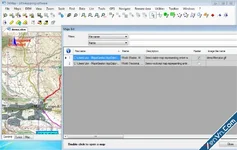
- Local Search: Compares your documents against folders on your computer. It automatically indexes files and updates when changes occur.
- Cross-Comparison: Compares multiple documents against each other to find structural overlaps. This helps teachers check for copying among students.
- Internet Scanning: Scans for copied text across multiple online search engines simultaneously.
- AI Text Detection: Identifies text generated by artificial intelligence. It currently supports English, Spanish, and Portuguese.
- Batch Processing: Analyzes multiple files at the same time using a drag-and-drop system.
 Supported File Formats
The software opens and scans most common document formats:
- Microsoft Word (.doc, .docx)
- Adobe Portable Document Format (.pdf)
- Microsoft PowerPoint (.ppt, .pptx)
- Text and open formats (.txt, .rtf, .html, .odt)
 Reports and Results
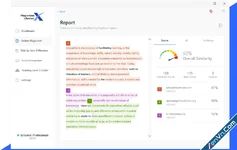
After scanning, Plagius Professional delivers an interactive report:
- Duplicated sentences are color-coded based on the match level.
- Source URLs and file locations appear in a list on the right panel.
- Users can filter out false positives to recalculate the final percentage.
- Reports can be exported as HTML or PDF files for sharing.
Download Plagius Professional - Plagiarism Detector:
dl.xenvn.com
Password: xenvn.com