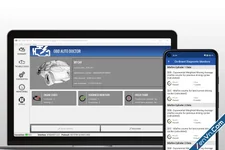
OBD Auto Doctor is an advanced car diagnostics software developed by Creosys. It allows you to communicate with your vehicle's On-Board Diagnostic (OBD2) system to monitor health and clear errors.
 Key Features
- Read Diagnostic Trouble Codes (DTCs): Identifies exactly why your check engine light is on.
- Clear Codes: Resets the check engine light after fixing the vehicle issues.
- Real-Time Data Monitor: Tracks live engine sensor data like coolant temperature and fuel speed.
- Readiness Monitors: Checks if your car is ready for emission and smog testing.
- Data Export: Saves diagnostic data to email or text files for mechanics.
 How It Works
- Connect a Scan Tool: Plug an OBD2 adapter (Wi-Fi or Bluetooth) into your car's OBD port.
- Launch the App: Open OBD Auto Doctor on your smartphone, tablet, or PC.
- Diagnose: Run a full scan to see live car performance and error logs.
OBD Auto Doctor supports all ELM327 based OBD scan tool adapters with ELM version 1.2 or higher.
In addition, the software works with the Diamex DX70 Bluetooth adapter.
Windows and Mac versions support scantools with the following connection methods:
- Serial port
- Classic Bluetooth via virtual serial port and natively using Microsoft or Apple Bluetooth stacks
- Bluetooth Low Energy natively using Microsoft or Apple Bluetooth stacks
- USB via virtual serial port
- WiFi
- Bluetooth
- Bluetooth Low Energy (Kiwi 3/4, OBDLink CX, and LELink)
- WiFi
- Bluetooth (OBDLink MX+, vLinker FS, vLinker MS)
- Bluetooth Low Energy (Carista, CYEL, FIXD, Kiwi 3/4, LELink, MicroTech, OBDLink CX, Tonwon, UniCarScan, Veepeak, Vgate, Viecar, and Yawoa)
- WiFi
Some adapters have a dual capability to work as a classic Bluetooth or Bluetooth Low Energy adapter. However, these need only support from iOS because other platforms can use the classic Bluetooth for communication.
Remember to check that your computer or mobile device has support for the connection method!
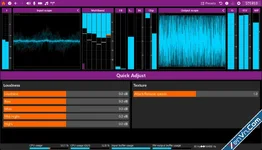
Thimeo Stereo Tool
11.02
Attachments