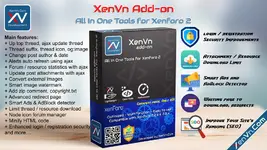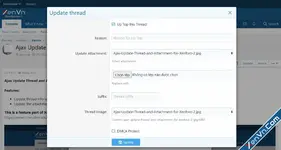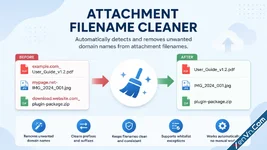
Automatically detects and removes unwanted domain names added as prefixes or suffixes to attachment filenames.
When users upload files downloaded from other websites, the original filename may contain domain names, website branding, or other unwanted identifiers added to the beginning or end of the filename. This can make attachment names look messy and inconsistent.
Attachment Filename Cleaner in the XenVn Add-on for XenForo 2 automatically detects domain-based prefixes and suffixes in attachment filenames and removes them while preserving the original file name as much as possible.
This feature will not remove the Attachment Prefix or Attachment Suffix you have configured in the XenVn settings. It also will not remove them if the content is your domain name.
Key Benefits
- Automatically removes unwanted domain names from attachment filenames.
- Helps keep attachment names clean and consistent.
- Works automatically without requiring users to rename files manually.
Enable this feature at: XenVn Setting -> Attachments -> Attachment Filename Cleaner
It will be available in XenVn version 2.6.2+.