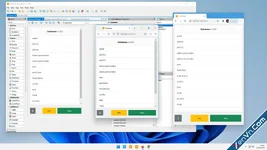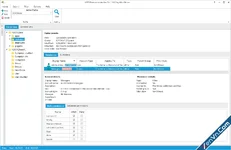
This software allows you to analyze, verify, and review any NTFS folder permissions quickly. It provides deep and detailed audit results and offers additional features, such as powerful, customizable filtering and exports to various formats.
It offers a wide range of options to filter audit results. It can be applied in two ways – audit time filtering and post-audit filtering, enabling you to filter data and change filter conditions without needing to redo the audit.
Get your easy-to-use NTFS permissions tool to analyze and report NTFS security! Report NTFS permissions in a nicely formatted Excel sheet or HTML report. Report effective NTFS permissions owner to the owner of the data.
Get User-specific effective NTFS permissions of a share or folder and its hierarchy. You can save any Permissions Report using Company Edition or Enterprise Edition to either a local built-in database or an external Microsoft SQL Server, to load it at any time to see the differences. Keep your NTFS Permissions Report clean and exclude any Active Directory security groups from the scan. There is no need to report the names of known accounts, e.g. backup operator or share operator. In case there are some special ACEs set to folders you can translate these security settings to meaningful labels.
You can exclude unnecessary directories by specifying the exact path or just the directory name. You can also exclude system directories and reparse points from your audit results, limit audit depth by specifying the directory depth limit, and exclude disabled and specific accounts from audit results.
Download