- Views: 22K
- Replies: 16
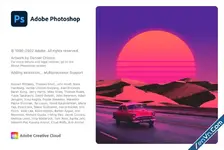
Adobe Photoshop is an industry-standard image editing program used to edit graphics and digital photos. The application includes standard drawing and selection tools and unique features that make it a go-to tool for many graphic designers and photographers.
Photoshop is primarily a pixel-based raster graphics editor but also supports basic vector-based editing. It can import and export a wide variety of image formats, including .JPG, .PNG, .BMP, .TIFF, .TGA, and .PDF. However, it saves images in the Photoshop Document (.PSD) format by default (.PSB format for documents with images larger than 30,000 x 30,000 pixels or 2 GB in size).
The PSD format supports layers, which are isolated groupings of graphics that you can edit independently. You may set layers to be visible, hide layers, give layers a custom opacity setting, and more. You can also create adjustment layers, which apply non-destructive adjustments to one or more layers at a time.
If you are beginning to use Photoshop, the application may look daunting with its many tools, but the home screen allows for quick and easy access to tutorials and templates to help you get started. As you become more familiar with the user interface and adjust it to your work style, Photoshop saves your preferences to keep the layout familiar.
Photoshop's more advanced and unique features include the Patch tool, which automatically removes blemishes, and the Object Removal Guided Edit tool removes unwanted objects and matches the background with the surrounding area. In addition, if you want to adjust the colors of an image, you can use the Levels, Curves, or Color Balance controls. The application also comes with Auto Color and Auto Levels tools for automatically enhancing images with a single click. While Photoshop includes many powerful built-in features, you can add even more capabilities to the program by installing plugins.
Learn what's new in the latest release of Photoshop
The current Adjustments Presets layout now includes simple navigation, new icons, reorganization and improved access for an efficient editing workflow.
- Simplified tabbed navigation: Easier switching between Presets and Single adjustments.
- Enhanced Preset icons: Newer icons better represent the adjustments applied.
- Organized Presets:
- Create and organize presets within groups.
- Drag and drop presets for customization.
- Default and user-created presets now reside under the Presets tab.
- Improved Preset access: Updated flyout menu for easier access.
Add the following code to the Windows\System32\drivers\etc\hosts file to block license checks.
Code:
127.0.0.1    52.6.155.20
127.0.0.1    52.10.49.85
127.0.0.1    23.22.30.141
127.0.0.1    34.215.42.13
127.0.0.1    52.84.156.37
127.0.0.1    65.8.207.109
127.0.0.1    3.220.11.113
127.0.0.1    3.221.72.231
127.0.0.1    3.216.32.253
127.0.0.1    3.208.248.199
127.0.0.1    3.219.243.226
127.0.0.1    13.227.103.57
127.0.0.1    34.192.151.90
127.0.0.1    34.237.241.83
127.0.0.1    44.240.189.42
127.0.0.1    52.20.222.155
127.0.0.1    52.208.86.132
127.0.0.1    54.208.86.132
127.0.0.1    63.140.38.120
127.0.0.1    63.140.38.160
127.0.0.1    63.140.38.169
127.0.0.1    63.140.38.219
127.0.0.1    wip.adobe.com
127.0.0.1    adobeereg.com
127.0.0.1    18.228.243.121
127.0.0.1    18.230.164.221
127.0.0.1    54.156.135.114
127.0.0.1    54.221.228.134
127.0.0.1    54.224.241.105
127.0.0.1    100.24.211.130
127.0.0.1    162.247.242.20
127.0.0.1    wip1.adobe.com
127.0.0.1    wip2.adobe.com
127.0.0.1    wip3.adobe.com
127.0.0.1    wip4.adobe.com
127.0.0.1    3dns.adobe.com
127.0.0.1    ereg.adobe.com
127.0.0.1    199.232.114.137
127.0.0.1    bam.nr-data.net
127.0.0.1    practivate.adobe
127.0.0.1    ood.opsource.net
127.0.0.1    crl.verisign.net
127.0.0.1    3dns-1.adobe.com
127.0.0.1    3dns-2.adobe.com
127.0.0.1    3dns-3.adobe.com
127.0.0.1    3dns-4.adobe.com
127.0.0.1    hl2rcv.adobe.com
127.0.0.1    genuine.adobe.com
127.0.0.1    www.adobeereg.com
127.0.0.1    www.wip.adobe.com
127.0.0.1    www.wip1.adobe.com
127.0.0.1    www.wip2.adobe.com
127.0.0.1    www.wip3.adobe.com
127.0.0.1    www.wip4.adobe.com
127.0.0.1    ereg.wip.adobe.com
127.0.0.1    ereg.wip.adobe.com
127.0.0.1    activate.adobe.com
127.0.0.1    adobe-dns.adobe.com
127.0.0.1    ereg.wip1.adobe.com
127.0.0.1    ereg.wip2.adobe.com
127.0.0.1    ereg.wip3.adobe.com
127.0.0.1    ereg.wip4.adobe.com
127.0.0.1    ereg.wip1.adobe.com
127.0.0.1    ereg.wip2.adobe.com
127.0.0.1    ereg.wip3.adobe.com
127.0.0.1    ereg.wip4.adobe.com
127.0.0.1    practivate.adobe.ntp
127.0.0.1    practivate.adobe.ipp
127.0.0.1    practivate.adobe.com
127.0.0.1    adobe-dns-1.adobe.com
127.0.0.1    adobe-dns-2.adobe.com
127.0.0.1    adobe-dns-3.adobe.com
127.0.0.1    adobe-dns-4.adobe.com
127.0.0.1    lm.licenses.adobe.com
127.0.0.1    hlrcv.stage.adobe.com
127.0.0.1    prod.adobegenuine.com
127.0.0.1    practivate.adobe.newoa
127.0.0.1    activate.wip.adobe.com
127.0.0.1    activate-sea.adobe.com
127.0.0.1    uds.licenses.adobe.com
127.0.0.1    k.sni.global.fastly.net
127.0.0.1    activate-sjc0.adobe.com
127.0.0.1    activate.wip1.adobe.com
127.0.0.1    activate.wip2.adobe.com
127.0.0.1    activate.wip3.adobe.com
127.0.0.1    activate.wip4.adobe.com
127.0.0.1    na1r.services.adobe.com
127.0.0.1    lmlicenses.wip4.adobe.com
127.0.0.1    na2m-pr.licenses.adobe.com
127.0.0.1    wwis-dubc1-vip60.adobe.com
127.0.0.1    workflow-ui-prod.licensingstack.com
You need to uninstall the old version on your computer before installing the new one.
Download Adobe Photoshop 2026 - Pre-Active:
dl.xenvn.com
Password: xenvn.com
photoshop preactivated, photoshop pre activated, adobe photoshop preactivated, photoshop pre-activated, preactivated photoshop, adobe photoshop pre activated windows, adobe photoshop preactive, photoshop pre active, pre activated adobe photoshop, pre activated photoshop
Last edited: