- Views: 2K
- Replies: 6
System Files & Attachments Protection
The Malware Scanner for XenForo 2 is an advanced security utility integrated into the XenVn addon, designed to help administrators detect malicious code, web shells, and suspicious behaviors hidden within the forum’s system files and attachments.
This tool focuses on early detection and risk warning, allowing administrators to manually review and handle suspicious files before they cause serious damage.
What Can It Scan?
The scanner is capable of inspecting multiple file types and formats, including:
- PHP files in the XenForo system
- ZIP archives, with deep recursive scanning, including:
- All PHP files inside ZIP archives
- Nested ZIP files (ZIP-inside-ZIP)
- XenForo attachments, both existing and newly uploaded
Intelligent Behavioral Analysis
Instead of relying solely on static signatures, the scanner uses smart behavioral analysis algorithms, such as:
- Variable usage analysis
- Function call analysis
- Detection of suspicious execution patterns
- Identification of obfuscated or dynamically-invoked code
How to Enable Attachment Scanning
To activate malware scanning for XenForo attachments, go to:
XenVn Setting → Attachments → Malware Scanner For Attachments (Version 2.5.0+)
Once enabled, all newly uploaded attachments will be automatically scanned in the background.
Main Features:
1. Full System File Scan
Navigate to: XenVn → Malware Scanner
This allows administrators to scan all XenForo system files for suspicious code, modified PHP scripts, or potential backdoors.
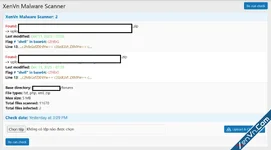
2. Manual Upload & Scan
Also located under: XenVn → Malware Scanner
Admins can upload any file manually and perform an instant scan using the built-in Upload & Scan button. Useful for checking external files before importing them into XenForo.
3. Scan All XenForo Attachments
You can trigger a complete scan of all existing attachment files through:
Tools → Rebuild caches → [XenVn] Rebuild Data → Scan attachments for malware
This is ideal for periodic security audits of old attachments.
4. Background Scanning for New Uploads
Whenever a user uploads a new attachment, XenVn automatically scans the file in the background.
This ensures malicious content is detected before it is shared or downloaded by others.
5. Suspicious File Statistics
Results and logs of suspicious attachments can be viewed in:
XenForo ACP → Content → Attachments
This section highlights flagged files, helping administrators quickly identify and review potential threats.
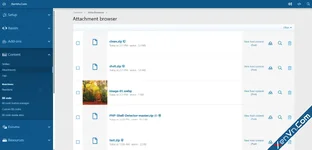
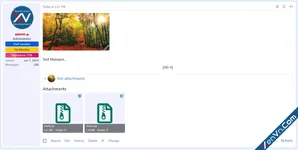
6. Visual Indicator for Each Attachment
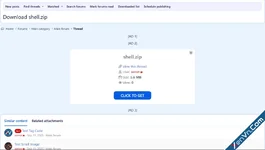
XenVn adds a recognizable malware-status icon next to every attachment file.
Icons make it easy to see at a glance which files are safe, suspicious, or need review.
Important Notes
- Scan results may not be 100% accurate, all flagged files should be manually reviewed by the administrator.
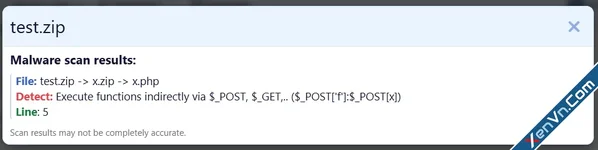
- The scanner only provides warnings, including:
- File name
- File location
- Detected suspicious indicators
- Line numbers where suspicious code was found
- To prevent abuse or evasion, the scanner does not disclose detailed matching patterns or signatures.
- No files are automatically deleted.
The tool will never modify or remove your data without your explicit action.
Its goal is to help administrators identify potential threats early, while maintaining full control over how files are handled.

Attachments
Last edited: