- Views: 42
- Replies: 1
The User Phone Number Verification System is a new feature of the XenVn Add-on. It is currently in the testing phase and will continue to receive improvements and new features.
Unlike traditional SMS verification services, users verify their phone numbers by sending a verification code from their own phone to the server's phone number.
Requirements
- Your server must have a SIM device capable of receiving SMS messages.
- Or you can use the shared SIM server provided by XenVn.
XenVn has paid support to help you set up a mini server at home that supports SIM. (you can use an android phone that runs 24/7 to process SMS or more professional devices)
How It Works
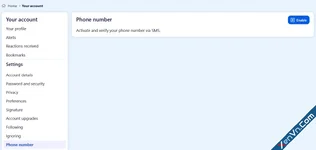
- The user enables phone verification in their account settings.
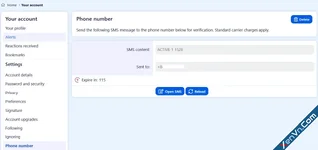
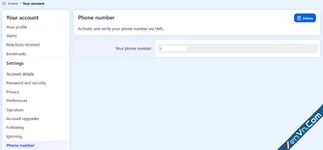
- The system generates a unique verification code and displays the server's phone number.
- The user sends the verification code via SMS from the phone number they want to verify.
- Standard mobile carrier SMS charges apply. International users can also send the verification SMS.
- Once the server receives a correctly formatted message, the user's phone number is automatically verified and linked to their account.
This verification system can also be extended for other features, including:
- Password recovery via SMS.
- Two-factor authentication (2FA).
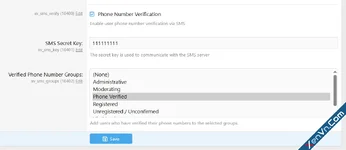
- Automatically assigning verified users to a dedicated user group.
- Additional SMS-based security and automation features in future updates.
https://xenvn.com/account/phone
Demo Video:
View attachment User-Phone-Number-Verification-System-for-Xenforo-2.mp4

Last edited: