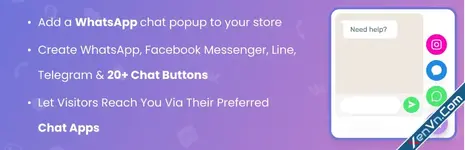
WhatsApp Chat for WordPress allows your customers to click a button and open a conversation from your website directly to your “WhatsApp” or “WhatsApp Business” phone number. This plugin includes a Whatsapp button where you can include a pre-set message, which will be automatically be the first message in the conversation.
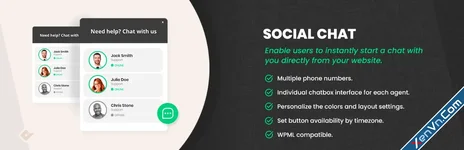
The premium version of the Social Chat plugin allows you to include multiple team member agents, distinguishing their names and labels inside. The contact box helps to provide direct contacts to the different support areas of your site.
A new option to display a chatbox for each agent is included. This box will be displayed when the user clicks on the WhatsApp contact, and you can define custom message to be shown from each contact. Your users will be able to type the message that will be sent to the WhatsApp contact phone.
Finally, we’ve included an option that allows you to select between more than fourteen icons to be included at WhatsApp button, and allowa full integration with the WordPress live customizer.
Social Chat Features
- WhatsApp button
- WhatsApp contact box
- WhatsApp button and box colors
- Add custom icon in the WhatsApp button
- Two button layouts
- Hide the button based on post types and taxonomies
- Add rounded or square borders
- Vertical and horizontal position
- Custom button text
- Custom user message

Attachments