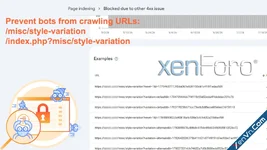
If you're using Xenforo 2.3, you might see a "Blocked due to other 4xx issue" message in your Google Search Console for thousands of URLs. Most of these URLs are in the format:
https://yourdomain.com/misc/style-variation?***https://yourdomain.com/index.php?/misc/style-variation***These are URLs for the Style Variation menu (selecting light/dark theme).
The reason for this is that Xenforo uses URL tags like:
<a href="/misc/style-variation?***" ***>And bots crawl these URLs.
To fix this, we'll completely remove these URLs, replacing the <a> tag with the <span> tag.
Everything should work normally.
This trick is built into the feature in: XenVn Settings -> Tweaks -> Extra Mod For XF. You just need to enable it. It will be available in XenVn version 2.6.0+.

XenVn Style for Xenforo 2
2.3.11