Compatible XF 2.x versions 2.3

BitGo Payment Gateway for XenForo
Accept cryptocurrency payments directly on your forum using the enterprise-grade securities of BitGo. This add-on provides a white-label experience, keeping your users on your site throughout the entire checkout process.
Features
After installation, you need to configure the provider in your Admin Control Panel:
To ensure payments are marked as completed automatically:


BitGo Payment Gateway for XenForo
Accept cryptocurrency payments directly on your forum using the enterprise-grade securities of BitGo. This add-on provides a white-label experience, keeping your users on your site throughout the entire checkout process.
Features
- Direct Integration: Users are never redirected to a third-party gateway page. The payment address and QR code are generated directly on your site.
- Enterprise Security: Built on the BitGo SDK, ensuring industry-standard security for wallet interactions.
- Multi-Coin Support: Ready to accept Bitcoin (BTC), Litecoin (LTC), Bitcoin Cash (BCH), ZCash (ZEC), Stellar (XLM), Dash (DASH), and Bitcoin Gold (BTG).
- Testnet Ready: Fully supports Testnet Mode for safe testing and development before going live.
- Automatic Webhooks: One-click configuration to sync webhooks, ensuring your forum reacts instantly to confirmations.
- Real-Time Status: Users see live updates (Pending -> Confirming -> Received) without refreshing the page.
- Unzip the download package.
- Upload the contents of the upload directory to your XenForo root installation.
- Go to your Admin Control Panel -> Add-ons.
- Click Install next to "BitGo Payment".
After installation, you need to configure the provider in your Admin Control Panel:
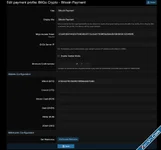
- Go to Setup > Payment profiles and click Add payment profile.
- Select BitGo Payment from the provider list.
- Enter your BitGo Access Token (obtained from your BitGo Developer Dashboard).
- Enter the Wallet ID for each cryptocurrency you wish to accept. Leave fields blank for coins you don't use.
- Save the profile.
To ensure payments are marked as completed automatically:
- After saving the profile, look for the Webhooks Configuration section on the settings page.
- Click the Set/Update Webhooks button.
- Ideally, you will see a green "Active" status for all configured coins. This means BitGo will notify your forum immediately when funds are received.

Mitch - Champions Module
1.0.8
[Speil] Birthday Poster
1.3.0
Attachments
![[BS] Crypto payment powered by devsell.io - Xenforo 2](https://xenvn.com/data/attachments/9/9491-10c84cb779d763b4486bc7249d028c48.jpg)
![[DBTech] Payment UI - Xenforo 2](https://xenvn.com/data/attachments/2/2041-77d7194217a8de676fc85c62792db62d.jpg)
![[BS] Bitcoin payment - Xenforo 2](https://xenvn.com/data/attachments/7/7147-35f39ab9b78d04ba15a14f5ef014958c.jpg)
![[OzzModz] Test Payment Provider - Xenforo 2](https://xenvn.com/data/attachments/8/8440-46037094dbdb086221ee9c48fde1a740.jpg)