-
-
Invision Community (IPS) - Forum software, CMS, eCommerce
this from ipbmafia.ru Files from this website work well and many websites have edited their own website name.- samers
- Post #32
- Forum: PHP Scripts
-
![[XenGenTr] Prefix Designs - Xenforo 2](https://xenvn.com/data/attachments/18/18651-67a530ccc58f7499c5b4ca4fc59aad0c.jpg)
[XenGenTr] Prefix Designs - Xenforo 2
You have to set it up yourself, it won't pair automatically and it will pair. -
[XenGenTr] Prefix Designs - Xenforo 2
go to edit file /src/addons/XenGenTr/XGTOnekTasarimlari/Admin/Controller/OnekTasarim.php delete or comment line 63-69 save done or upgrade with this attachment -
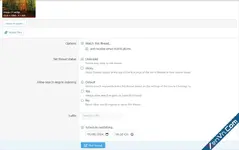
Xenvn - Schedule Thread / Resource Publishing
now schedule it work . but when I want convert external image it convert in resource post not convert in thread post. -

What The...
error with src/addons/Andy/PageViewLimit Table 'nullwh_xfbeta.xf_andy_access_log' doesn't exist . to fix it with reinstall or create Table 'nullwh_xfbeta.xf_andy_access_log' -

XenForo 2.3 Full - Compelling Community Platform
this command line use shell not use in share host. it's for vps/real server. -
Xenvn - Schedule Thread / Resource Publishing
to buy xenvn addon it option in it's. -
Xenvn - Schedule Thread / Resource Publishing
it appear every time to schedule. -
Xenvn - Schedule Thread / Resource Publishing
why when I schedule new resource and post it. the time post off thread and resource not math -

-
-
XFRM 2.3.5 to XFRM 2.3.5 Import
to edit src/addons/XFRM/Import/Data/ResourcePrefixGroup.php at line 32 $group = $this->em()->find(\XFRM\Finder\ResourcePrefixGroup::class, $newId); to $group = $this->em()->find(\XFRM\Entity\ResourcePrefixGroup::class, $newId); -
![[AddonFlare] (AJAX) Advanced Forum Stats](https://xenvn.com/data/attachments/0/314-9e67d48d9f1aa97c59a199ef9727e3c4.jpg)
-
Admin/Resources/Profiles Missing
open add-on SV\UserEssentials go to edit file SV\UserEssentials\XF\Job\Manager.php line 12 took this time you can open admincp? To disable via config.php (if you can't access the admin panel): Open your src/config.php file. Add or modify the following line: $config['enableListeners'] = false... -
-
Admin/Resources/Profiles Missing
that bug from SV\UserEssentials go to edit file SV\UserEssentials\XF\Job\Manager.php line 12 to -
Admin/Resources/Profiles Missing
ok this time you can open admincp? Disable the SV\UserEssentials Add-on (Temporary Solution): If you need to get your forum back online immediately and can live without this add-on for a short period, you can disable it. To disable via config.php (if you can't access the admin panel): Open... -
Admin/Resources/Profiles Missing
It's not that I typed it wrong. The error is from you deleting the file directly, not uninstalling it from the admin. Upload the SV\UserEssential file back to the original location.Then go read install in admincp