Add-ons
Xenforo Add-ons
![[vbresults.com] List Resource Fields - Xenforo 2](https://xenvn.com/data/attachments/18/18929-40f3113315d9eeaeb23d3c655f993aad.jpg)
This makes custom resource fields visible in their resource category. Also includes ability to require registration to unlock certain custom fields.

![[vbresults.com] Custom Field Regex Capture - Xenforo 2](https://xenvn.com/data/attachments/18/18924-5df0e216e44e81fcc6ae268b8ea86a85.jpg)
Make custom field regex captures accessible to value and wrapper display HTML options; works with user, thread, resource, and media fields. For example, you can extract video ID's from regex URL...
![[SVG] Visitor Panel - Xenforo 2](https://xenvn.com/data/attachments/6/6230-c829944c4d9dd659659855a99108871f.jpg)
Who already has that widget, you need to delete everything. Made settings for the style Rights for users on the premium button. If there are no paid promotions, it will not be displayed, if there...
![[XenConcept] Read all conversations - Xenforo 2](https://xenvn.com/data/attachments/18/18908-752065ec01d5c27975a2d8e1f6f74829.jpg)
This add-on allows you to read all the conversations of your users.

Easy way to manage your whitelist requests. If you have server that users need to apply for whitelist then you won't need anything more! Main features: User: Submit request Edit self request...
![[XenCustomize] Forum Views - Xenforo 2](https://xenvn.com/data/attachments/18/18910-a21ca9fb22025591eba65101b77e5570.jpg)
Elevate your XenForo 2 community with the Forum Views add-on! Display total views for each forum, making engagement effortless and fun. Seamless Integration: Easily view forum popularity directly...
![[XTR] Reputation System - Xenforo 2](https://xenvn.com/data/attachments/0/687-e86e6c6243084570c529b193425de2c4.jpg)
This add-on allows you to adding a reputation system to your site based on reaction score, post count and trophy point. Reputation Type Reaction score Post count Reaction score or post count...
![[AKL] Thread Lightbox Video & Audio Support - XF2](https://xenvn.com/data/attachments/18/18879-89f78cfe8b612d7b38c9cb6fdc58d870.jpg)
[AKL] Thread Lightbox Video & Audio Support for Xenforo 2.
![[AKL] XFRM Lightbox Video & Audio Support - XF2](https://xenvn.com/data/attachments/18/18877-31cc60122a6259cf772a6471bdd3caeb.jpg?hash=HMYzs-4FQv)
[AKL] XFRM Lightbox Video & Audio Support for Xenforo 2.
![[AH] Discord Widget - Xenforo 2](https://xenvn.com/data/attachments/18/18875-bcfc809e93068b4bafd0b8ce99da24be.jpg?hash=_RxF0s-RX6)
This add-on lets you add a discord server widget to the sidebar which features channels and online users. It's even designed to fit right into your existing theme. This add-on ONLY operates...
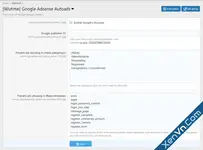
Quickly add Google's Adsense to your website using Google's Autoads placement. Setup is easy: Download and install the addon Enter your Adsense publisher ID Choose any controllers you don't want...

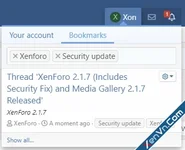
Features: Share bookmarks Per-content type permissions for using bookmarks (Supports; Posts/Profile posts/XFMG/XFRM) Bookmark statistics Recent bookmark counter XF stats integration Search...
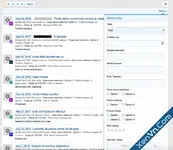
The add-on allows to filter and search resources based on Resource fields. The idea is to allow admins to utilize the power of custom fields to turn their resources into Directory, Classifieds...

Description: Allows account upgrade before registering. Once the payment has been made the user is asked to register. Features: Supports Stripe payment profile. Supports Permanent, For length and...
![[vbresults.com] Filter Resource Fields - Xenforo 2](https://xenvn.com/data/attachments/18/18845-dce660c83da6f74e28bc84caa00e69c4.jpg)
This makes resources filterable by custom resource fields. Also includes optional widget to have a persistent view of filtering options.
![[vbresults.com] Post Keyword Alerts - Xenforo 2](https://xenvn.com/data/attachments/18/18838-60a6a92193febfe9775f2435c2019fbe.jpg)
This add-on lets you receive e-mail notifications when new posts match your keywords.
![[vbresults.com] Filter Media Fields - Xenforo 2](https://xenvn.com/data/attachments/18/18834-df45410dc6782dd86df690c052e3b7e7.jpg)
This makes gallery media filterable by custom media fields. Also includes optional widget to have a persistent view of filtering options.
![[XTR] Most Followers - Xenforo 2](https://xenvn.com/data/attachments/9/9336-84bcd7d47da5d2ed5897986a49c32108.jpg)
[XTR] Most Followers Members This add-on allows you to add most followers tab on notable members page of your community and Most followers widget with follower counts.
![[BS] Live forum statistics - Xenforo 2](https://xenvn.com/data/attachments/2/2028-db6cb7fe4cbe91dce4e00025ee548042.jpg?hash=22y3_ky-kd)
This addon creates a live forum statistics widget to keep your users updated and engaged. The data it displays is current and can be refreshed at anytime, it includes user and thread statistics as...

Developed by LiteSpeed Technologies - the LiteSpeed Cache Plugin for XenForo 2 (LSCXF2) is a PHP-based plugin that communicates with your installation of LiteSpeed Web Server(LSWS) and its...