![[xF-Addons] Default Online Tab - Xenforo 2](https://xenvn.com/data/attachments/21/21312-1c05cffe8d1be1e1238742d185d72454.jpg)
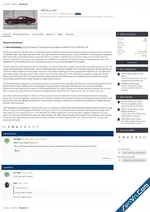
Tired of the Current Visitors page always landing on "Everyone"? This lightweight addon lets you choose which tab is selected by default when users visit the online list.
By default, XenForo's Current Visitors page (/online) opens to the Everyone tab, which shows all visitors - members, guests, and robots combined. For many communities, the Members tab is far more useful as the landing view.
This addon adds a simple admin option that lets you set the default tab to any of the four:
- Everyone (XenForo default)
- Members
- Guests
- Robots
Setup
- Install the addon via the Admin Control Panel
- Go to Setup → Options → Default Online Tab
- Select your preferred default tab
- Save - that's it
- No database tables - zero overhead
- Uses a clean class extension on the online list controller
- Single template modification to ensure tab links work correctly with pagination
- Fully compatible with XenForo 2.3
Attachments